After installing and activating the recommended plugins, please go to Appearance → Import Demo Data and click ‘Import Demo Data.’ Wait a few minutes, and once the process is complete, the demo data will be successfully imported.
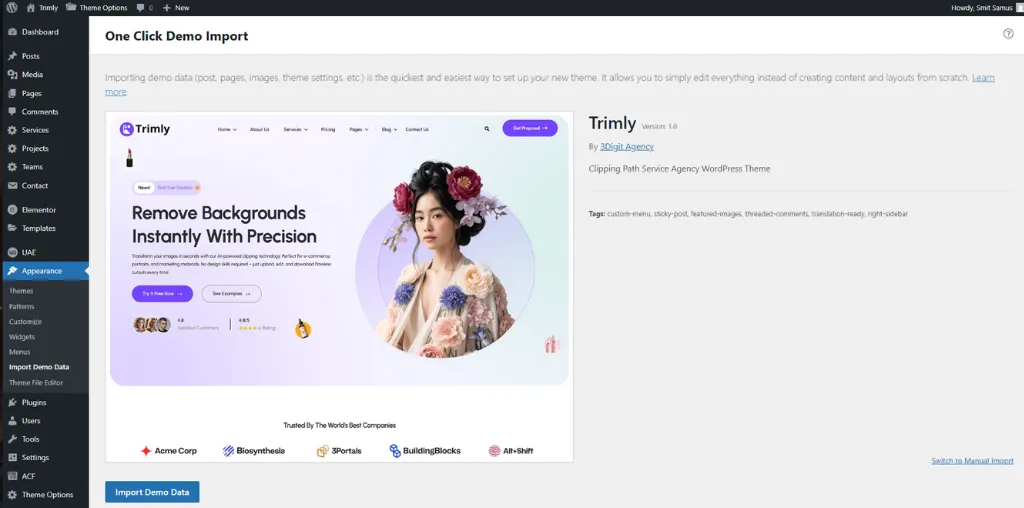
After installing and activating the recommended plugins, please go to Appearance → Import Demo Data and click ‘Import Demo Data.’ Wait a few minutes, and once the process is complete, the demo data will be successfully imported.